

The private Android cleaner.
Find duplicate photos, forgotten downloads and old messenger media with 1Cleaner. Review what you want to remove, or compress photos and videos to make more room.
Released 1.0.1g · Choose your language in Settings. The new cache, storage-change and protected-path screens are currently in English.

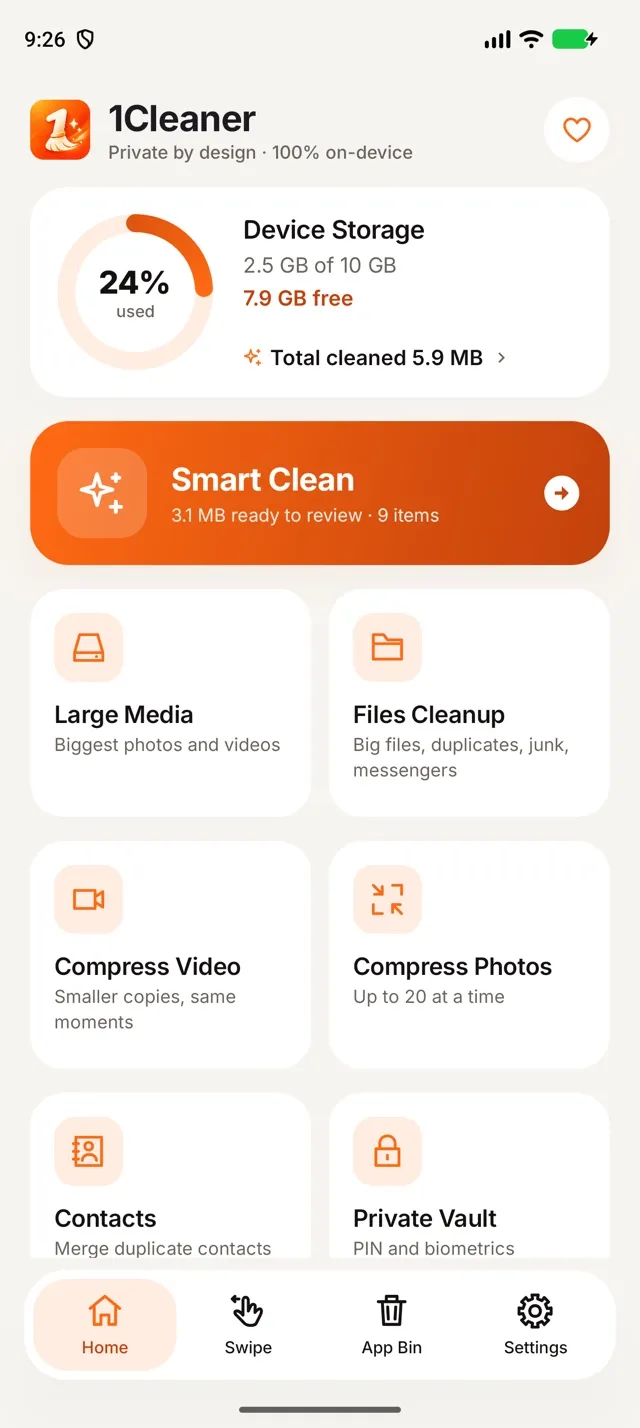
Choose what to clean on Android
Start with Smart Clean or open a specific tool below.

Review your Android clutter in one scan
Smart Clean groups photo clutter, large media, duplicate contacts and old calendar events. Allow file access to include big files, duplicate files and junk in the same results.
Review the groups and their selected sizes before confirming a cleanup. The scan itself deletes nothing.
Exact photo and video duplicates are verified by content. Possible duplicate videos share a length and resolution but may differ, so none are preselected.
Your Android files stay on your phone
Scans and comparisons run locally. 1Cleaner has no upload server and no advertising, analytics, attribution or crash-reporting SDKs.
Shared storage only
All files access lets 1Cleaner check Downloads, Documents and other shared folders. It reads file names, sizes and dates, and compares contents to verify duplicates.
Private app data stays separate
Android/data and Android/obb are excluded. 1Cleaner does not read messenger databases, backups or your installed-app list, and never asks for Accessibility access.
You choose the permissions
Declining file access does not block photo, video, contact or calendar tools with their own permissions. You can allow files later from results or Files Cleanup. Read the full privacy policy.
Purchases are handled by Google Play. Sharing or exporting a file happens only when you choose it.
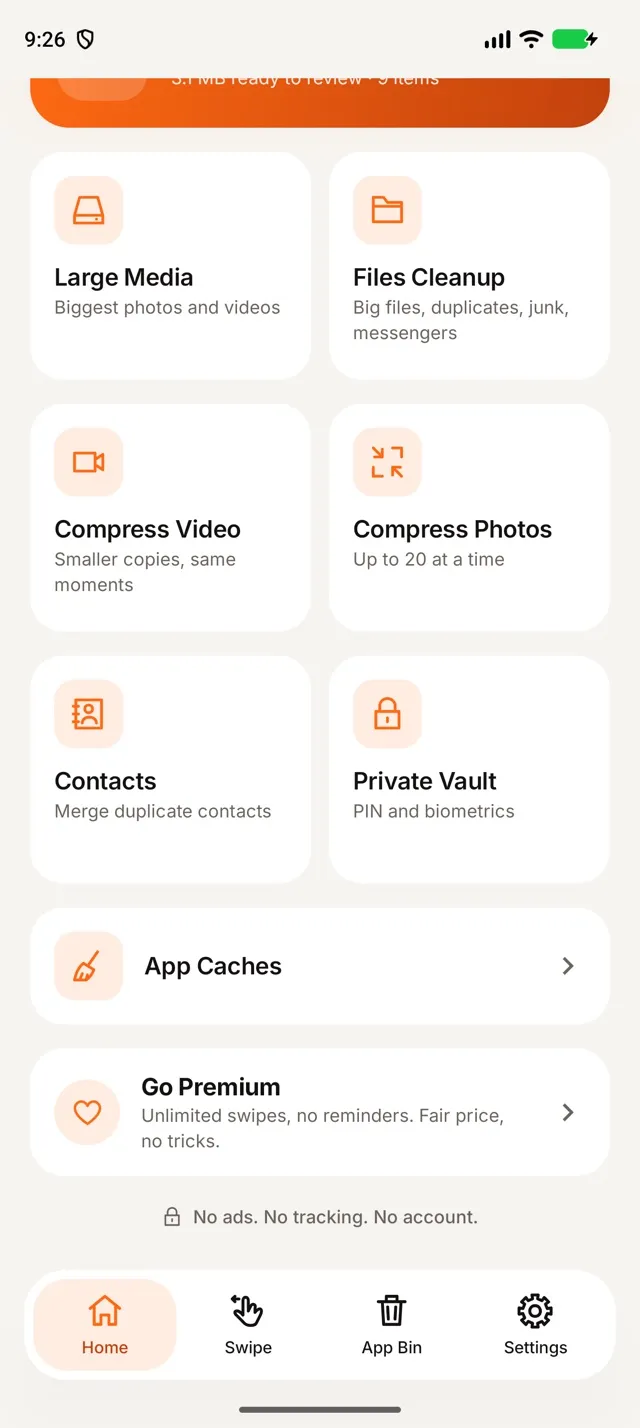
Clear external app caches on Android 11+
Choose App Caches on Home and confirm in Android’s dialog. The result shows free space before and after when measurements are available; use Clean again to repeat the cleanup.
This clears external caches, leaving internal app caches and personal data unchanged. Apps can recreate caches; the result does not give a per-app breakdown or attribute an exact saving to caches.
See which Android folders grew or shrank
After two comparable, complete and successful file scans, open Since previous scan in Smart Clean. Storage changes shows both dates, the net change and the old and new sizes of changed top-level folders.
The first scan sets the baseline; incomplete, cancelled or failed scans do not replace it. Comparisons require the same storage roots and protection settings, and exclude protected paths, Android/data and Android/obb. This is a folder-size comparison, not a history of added or removed files. Open a folder to review its current files with nothing preselected.
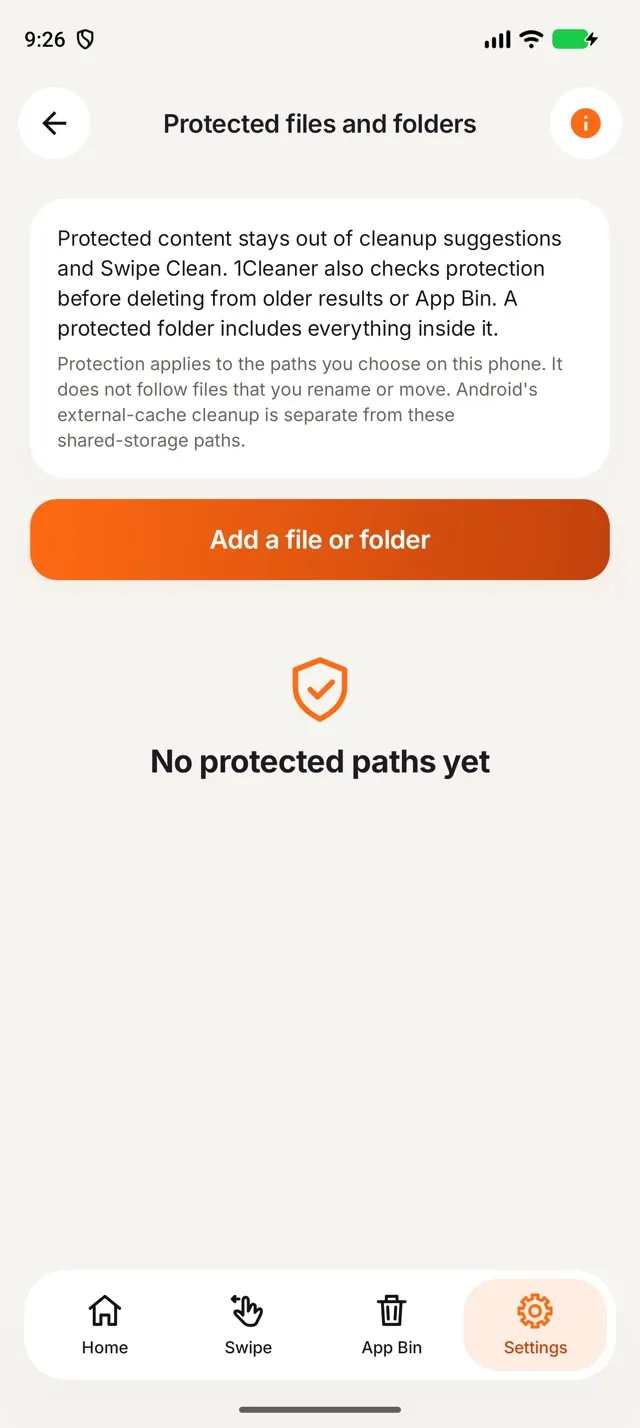
Keep important Android files out of cleanup
Choose files or folders in Settings › Protected files and folders. 1Cleaner excludes those shared-storage paths and their contents from cleanup suggestions and Swipe Clean, and checks protection again before deletion, including older results and App Bin.
Protection is stored locally and applies to the selected paths. Moving or renaming a file changes its path. It is neither a backup nor encryption, and it does not govern Android’s separate cache cleanup.

Delete similar photos and bursts — keep the best shot
Smart Clean groups similar photos and bursts, keeps a suggested best shot and selects the extras. You can change every choice before moving items to App Bin.
Similar-photo comparisons cover shots taken within 10 minutes of one another. Bursts are recognized from camera file names or closely timed frames. Favorites take priority when choosing what to keep.
Open a group full screen and zoom in before deciding. Screenshots and exact duplicates have separate categories.

Find the big files hiding in your storage
Files Cleanup makes forgotten movies, backup archives and installers easier to spot in shared storage.
How it works
- Files from 10 MB are grouped in size bands: 1 GB and more, 500 MB–1 GB, 100–500 MB and 10–100 MB, biggest first.
- Filter by type — videos, archives, installers, documents — and sort the list your way.
- "Not changed in a year" lists non-media files from 1 MB whose modification dates are at least a year old.
- Big files are never preselected. Check your selection before confirming: non-media files are permanently deleted.
See App Bin and Android trash for how photo and video deletion works.

Find temporary files, leftovers and installers
Junk categories show names and sizes so you can review what will go. Safe junk is preselected; downloaded installers are listed separately and never preselected.
What counts as junk
- Temporary files, logs and unfinished downloads untouched for a week.
- Thumbnail caches — preview images Android rebuilds on its own.
- Leftovers such as LOST.DIR, .DS_Store, Thumbs.db or a computer's trash and index folders copied to your phone.
- Empty folders other than standard or hidden folders.
- Installer files (APK) from previous downloads.
For folder junk, only the files the scan found are removed, checked again by size and date. Anything newer stays.

Clean up WhatsApp, Telegram and Viber media
The Chats tab lists videos, voice messages, pictures and documents saved by WhatsApp, Telegram and Viber to shared storage.
How it works
- Filter by app (WhatsApp, Telegram, Viber), by type and by age, biggest first.
- Nothing is preselected: you choose what goes.
- For WhatsApp only its Media folder is read — never chat databases or backups.

The same PDF downloaded five times? Keep one.
Duplicate files finds identical documents, archives and other files from 1 MB — in Smart Clean and in Files Cleanup.
How it works
- Files of the same size are compared by their full content on your phone. The same name is not enough.
- The oldest copy is always kept and can't be selected, so at least one copy stays.
- Nothing is preselected. Duplicate photos and videos are covered by exact duplicates in Smart Clean.

Review App Bin before deleting photos and videos
App Bin holds your marked photo and video selections. The originals stay in your library until you confirm deletion; Restore simply removes the mark.
How it works
- On Android 11+, deleted photos and videos go to Android’s trash and remain recoverable for about 30 days. With all-files access, 1Cleaner’s confirmation is the final step. Android 10 deletes them permanently.
- The Android trash panel shows what is still waiting there. Empty now frees that space immediately after a confirmation — this step is permanent.
- From 10 items you can review App Bin with swipes, one by one, with no daily limit.
- Only confirmed removals count toward Cleaned on Home, by category.

See what really uses your space
Tap the storage card on Home: photos, videos, audio, documents and archives by size, your largest folders and what is waiting in Android's trash.
The rest of "used" is apps, their data and Android itself. 1Cleaner does not offer that private data for removal.

Make smaller photo and video copies
Compression makes a smaller copy on your phone and leaves the original unchanged.
Choose a quality using the estimated savings before starting. The output is checked before saving; only meaningfully smaller copies are kept.
Files with unsupported properties are skipped with an explanation. Original deletion follows the same Android trash rules as other photos and videos.

Clean your gallery month by month with a swipe
Work through your library by month. Swipe left to mark a photo or video for App Bin, or right to keep it.
Undo takes back your last decision and refunds that swipe.
Swiping never deletes anything: marked items wait in App Bin until you delete them there.
More Android cleanup categories
Merge duplicate contacts
Group contacts by a shared phone number or email, choose the contact to keep and add the other details to it. A local backup is saved before merging. Read-only contacts and groups from different accounts are left alone.
Large Media and old videos
Photos from 10 MB and videos from 100 MB, biggest first, plus videos older than a year whatever their size.
Screenshots
All screenshots in one group, the ones older than 30 days first, with their own select action. Nothing is selected for you.
Old calendar events
Events that ended more than a year ago in calendars you can edit. Only the selected occurrences are removed; a repeating series is never deleted as a whole. Changes sync to your calendar account.
A private, encrypted place for photos and files
Keep private photos, videos and documents behind a 4-digit PIN or biometrics, inside 1Cleaner and only on your phone.
How it works
- Importing makes an encrypted copy; your original stays where it was until you delete it yourself
- The encryption key stays in Android Keystore; the vault has no cloud backup
- The vault locks as soon as you leave the app
- Export what you want to keep elsewhere: uninstalling 1Cleaner deletes the vault
Leave the app. The scan keeps going.
Progress in a notification
A progress notification includes a Cancel button while you use other apps. Completed scans notify you in the background and stay quiet while 1Cleaner is open. Declining notification permission does not block a scan.
Continues where it stopped
If Android interrupts a scan, it resumes when you return. After an explicit Stop or Force stop, choose Continue. Interrupted video compression restarts, keeping any finished copies.
Every tool explains itself
Tap (i) on any screen: what it finds, how it works, what happens when you clean and where the limits are.
1Cleaner frees storage, not RAM
There is no RAM booster, CPU cooler or app manager. Android manages memory and background apps itself; 1Cleaner focuses on files you can review and remove.
Free Android tools, optional Premium
Every tool works without payment. Free use includes a reminder before scans and cleanups that you can close immediately, plus 10 Swipe Clean decisions a day. Premium removes both.
Base prices in USD, excluding VAT and other local taxes. No free trial. Subscriptions renew automatically until cancelled in Google Play › Payments & subscriptions.
A few practical questions about 1Cleaner
Can I add a missing permission after a scan?
Yes. Allow contacts, calendar or files from the access row in the results to scan that source into the existing result. Changing photo or video access starts a new media scan because its scope changes.
How do I restore contacts after a merge?
Open Settings › Contact backups. The local backup restores removed cards as new contacts and leaves the contact you kept unchanged.
Can I clear one app’s internal cache?
Use Android Settings › Apps › the app › Storage › Clear cache; the exact labels vary by phone. 1Cleaner’s App Caches tool uses Android’s separate external-cache dialog.
How 1Cleaner compares on Android
Make room on your Android phone.
Choose a tool and review the files before you clean.