
How to find the largest videos on your iPhone
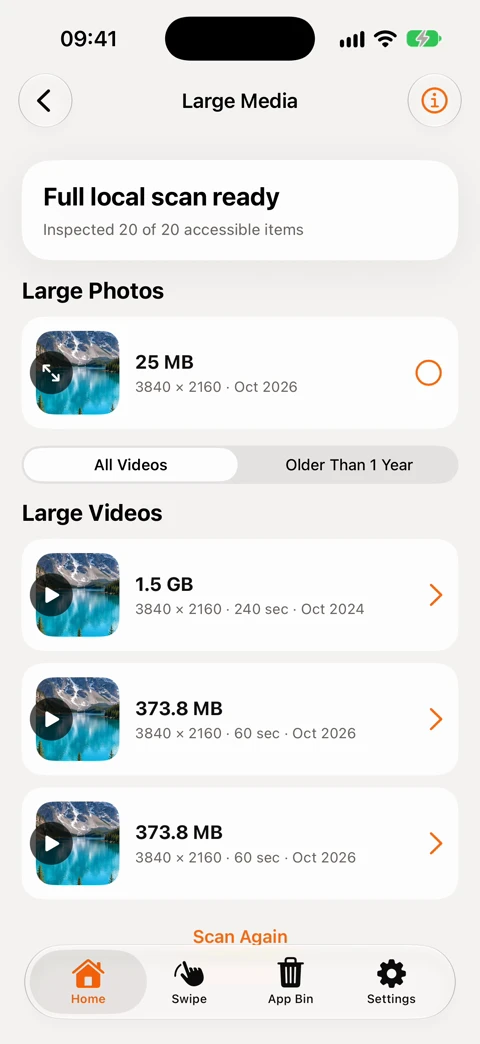
If you have a particular video in mind, open it in Photos and swipe up to see its file size. To compare large videos across your camera roll, use the full local scan in 1Cleaner’s Large Media tool. It lists videos of 100 MB or more that the app can read on the device, largest first. You can play any of them before deciding what to keep.
Check one video’s size in Apple Photos
Filter your library to videos, pick a clip and open its information. Look for the size in MB or GB alongside the resolution and duration. Apple Photos lets you sort the library by when items were added or captured. A date sort can help you find last weekend’s concert, but it can’t tell you which song took the most space. Apple’s guide to file information · Photos sorting options
Find big clips across your iPhone library
- Give 1Cleaner access to the Photos items you want to review. Limited access restricts the results to that selection.
- Use the quick scan for a shortlist or the full local scan to measure every accessible local item. Videos stored only in iCloud are outside this list.
- Review the largest videos first. Compare duration and resolution as well as size. Play a candidate to decide whether it is a throwaway screen recording or footage worth keeping at full quality.
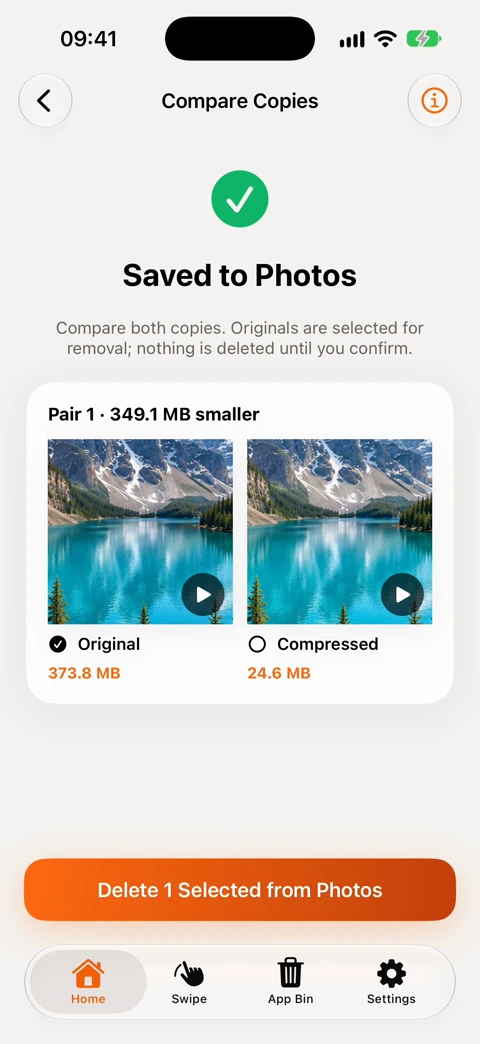
A one-minute 4K clip, before and after compression
For the recording above we used a synthetic 60-second landscape clip at 3840 × 2160. The original measured 373.8 MB. The Balanced setting produced a 24.6 MB HEVC copy at up to 1080p. Those are the file sizes shown after export. A football match or a noisy concert scene will compress differently from our demo landscape.
Compare a moving part of the clip, especially faces, lettering or fine detail, and check the sound. A small copy might look fine on your phone while the 4K original is worth keeping for editing. If you just want to send the video, share the copy and keep the master. If you prefer Apple’s own tools, iMovie can also export a lower-resolution copy.
When does compressing a video free up space?
Saving the smaller copy initially uses a little more space because both versions exist. In 1Cleaner’s comparison screen the original is preselected for removal. You can leave both in Photos. Before confirming any deletion, check which version is selected and whether you have an independent backup of footage you want to keep.
With iCloud Photos enabled, deleting a video also deletes it from other devices using that library. Deleted videos normally stay recoverable in Recently Deleted for 30 days. Our iPhone storage guide explains what happens during that period.
See which videos take up the most space.
Large Media and video compression work on your iPhone. No account, ads or uploads.
Watch the recorded examples on YouTube: finding large videos and comparing the compressed copy.